

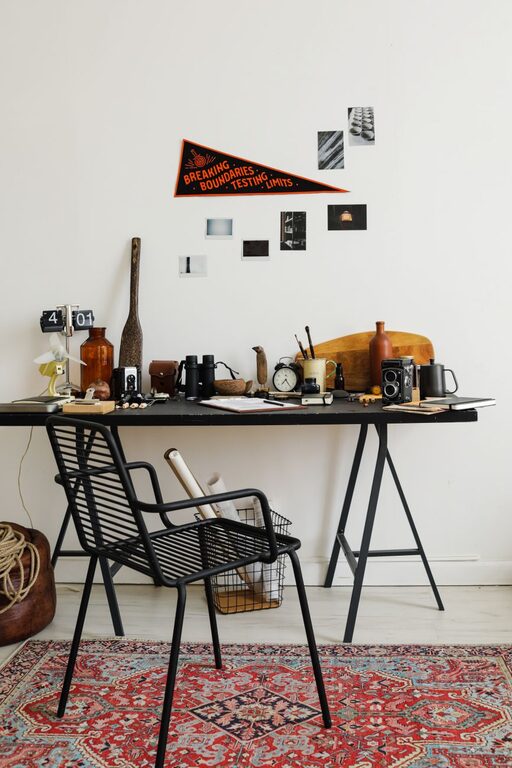
Refreshing your workspace doesn’t have to be a lengthy or overwhelming task. Sometimes, all it takes is ten minutes to create a more inviting, organized, and productive environment. Whether you work from home, in an office, or a shared space, spending a few minutes resetting your area can improve focus and motivation.
In this post, we’ll guide you through easy, practical steps to refresh your workspace quickly and effectively.
Why Refresh Your Workspace?
Your workspace is where you spend a significant portion of your day, so its environment can impact how you feel and perform. A cluttered or uninspiring space may lead to distractions or decreased motivation. Conversely, a tidy and pleasant workspace can improve concentration, reduce stress, and increase overall productivity.
Taking just ten minutes to refresh your space can:
– Clear mental and physical clutter
– Boost energy and creativity
– Improve comfort and ergonomics
– Create a more enjoyable atmosphere
What You’ll Need
Before you start, have these items handy for a smooth ten-minute refresh:
– A small trash bag or bin
– Cleaning wipes or a microfiber cloth
– A small container or box for organizing items
– Optional: a small plant or decorative item
Step-by-Step Workspace Refresh in 10 Minutes
1. Clear Out Trash and Unnecessary Items (2 minutes)
Begin by quickly removing any trash, such as discarded papers, snack wrappers, or used tissues. This immediate action opens up your space and removes distractions.
Then, put away any items unrelated to your work. This helps you focus and keeps your area uncluttered.
2. Organize Loose Items (3 minutes)
Gather loose items like pens, paper clips, sticky notes, or chargers. Sort them into your organizer box, drawers, or desktop containers.
Having a designated spot for each item reduces clutter and saves time searching later.
3. Wipe Down Surfaces (2 minutes)
Use cleaning wipes or a damp microfiber cloth to wipe your desk surface, keyboard, mouse, and any frequently touched areas. This not only improves cleanliness but also gives your workspace a fresher feel.
Don’t forget to clean your computer screen gently if needed.
4. Adjust Your Setup for Comfort (2 minutes)
Check your chair, monitor, and keyboard placement. Make sure your chair height supports good posture, your monitor is at eye level, and your keyboard is positioned comfortably.
A quick ergonomic adjustment can prevent discomfort during long work sessions.
5. Add a Personal Touch (1 minute)
Finally, place a small plant, photo, or decorative item on your desk to make the space more inviting. Personal touches can enhance your mood and create a positive atmosphere.
Bonus Tips
– Open a window or turn on a desk lamp to improve lighting and air quality.
– Play soft background music or nature sounds to boost concentration.
– Set a timer to remind yourself to refresh your workspace regularly.
Maintaining a Fresh Workspace
Refreshing your workspace in ten minutes can be a quick fix, but maintaining that freshness requires regular attention. Consider these habits:
– Spend a few minutes at the end of each day to tidy up.
– Limit non-work items on your desk to keep clutter minimal.
– Periodically deep clean and reorganize your space.
Conclusion
Refreshing your workspace doesn’t need to take a lot of time or effort. With a simple, structured ten-minute routine, you can create a more organized, comfortable, and motivating environment. Try these steps daily or weekly to enjoy ongoing benefits in your work life.
Give it a try today and notice how a little workspace refresh can make a big difference!